A photographer, a retoucher, and a client can all ask for “the campaign image” and mean three different files. The photographer needs the camera RAW, the retoucher needs the layered PSD, and the client needs the version approved for print. Digital asset management (DAM) software earns its place when every person can find, preview, review, and download the right file without digging through folders or email threads.
We build Framebird and include it in this comparison. To keep the guide grounded in verifiable facts, we reviewed official product documentation and pricing across ten DAM platforms, then ran a hands-on file preview test in six self-serve libraries using the exact same five creative files. Framebird previewed all five formats on its Free plan, Dash showed four, Air showed three, and the sharpest gaps appeared in spreadsheets and 3D models. Speed and subjective ease of use were outside our test, so you will not find unverified claims about them here.
Product details and US pre-tax prices checked on November 12, 2026. Hands-on file preview test run on November 13, 2026.
Which DAM belongs on your shortlist?
Match your day-to-day bottleneck to the shortlist below, then jump straight to the matching plan breakdown:
- Clients review, annotate, and download final files. Framebird keeps organization, feedback, and branded delivery in one Share with zero client seat fees. Try Picflow if frame-accurate video review is your primary requirement.
- One campaign feeds ecommerce and social channels. Dash pushes approved assets directly to Shopify, Canva, and Hootsuite. Air is worth testing if your team also wants AI resizing and clip generation inside the library.
- Dozens of internal teammates rotate onto every project. Stockpress includes unlimited users on every tier and unlocks versioning on Essential. Filecamp also offers unlimited users, with proofing and approvals on Professional.
- Your originals already live in Google Drive. Pics.io adds DAM search, metadata, and client portals on top of your existing Drive storage without moving files.
- Multiple brands need strict governance and rights control. Request demos from Canto for expiring usage rights, Bynder for end-to-end brand workflow modules, and Brandfolder for isolated multi-brand workspaces on Enterprise.
Compare the 10 DAM tools at a glance
| Tool | Best for | Starting price (US) | Free plan and key limit |
|---|---|---|---|
| Framebird | Creative teams combining DAM, review, and branded client delivery | Free. Pro $15/mo, Premium $39/mo | Free forever (2 GB, 1 person). Paid plans add team seats; clients never need seats |
| Air | Visual boards with AI search and built-in asset production | Free. Starter $100/mo billed annually ($125 monthly) | Free up to 3 users (10 GB). Starter caps at 5 users; 6th user jumps to $900/mo |
| Dash | Ecommerce and marketing teams publishing to Shopify and social | Start Up $109/mo billed monthly | 14-day trial, no free plan. Pricing scales by storage and monthly downloads |
| Stockpress | Growing teams that want unlimited internal users | Free. Essential $99/mo | Free plan has 3 GB. Annotations, statuses, and versioning start on Essential |
| Pics.io | Adding DAM search and portals over existing Google Drive storage | Solo $100/mo, Micro $250/mo | 7-day trial, no free plan. Comments, versioning, and roles included from Micro |
| Filecamp | Unlimited-user brand libraries with optional proofing | Basic $29/mo, Professional $89/mo | 30-day trial, no free plan. Commenting and proofing require Professional ($89/mo) |
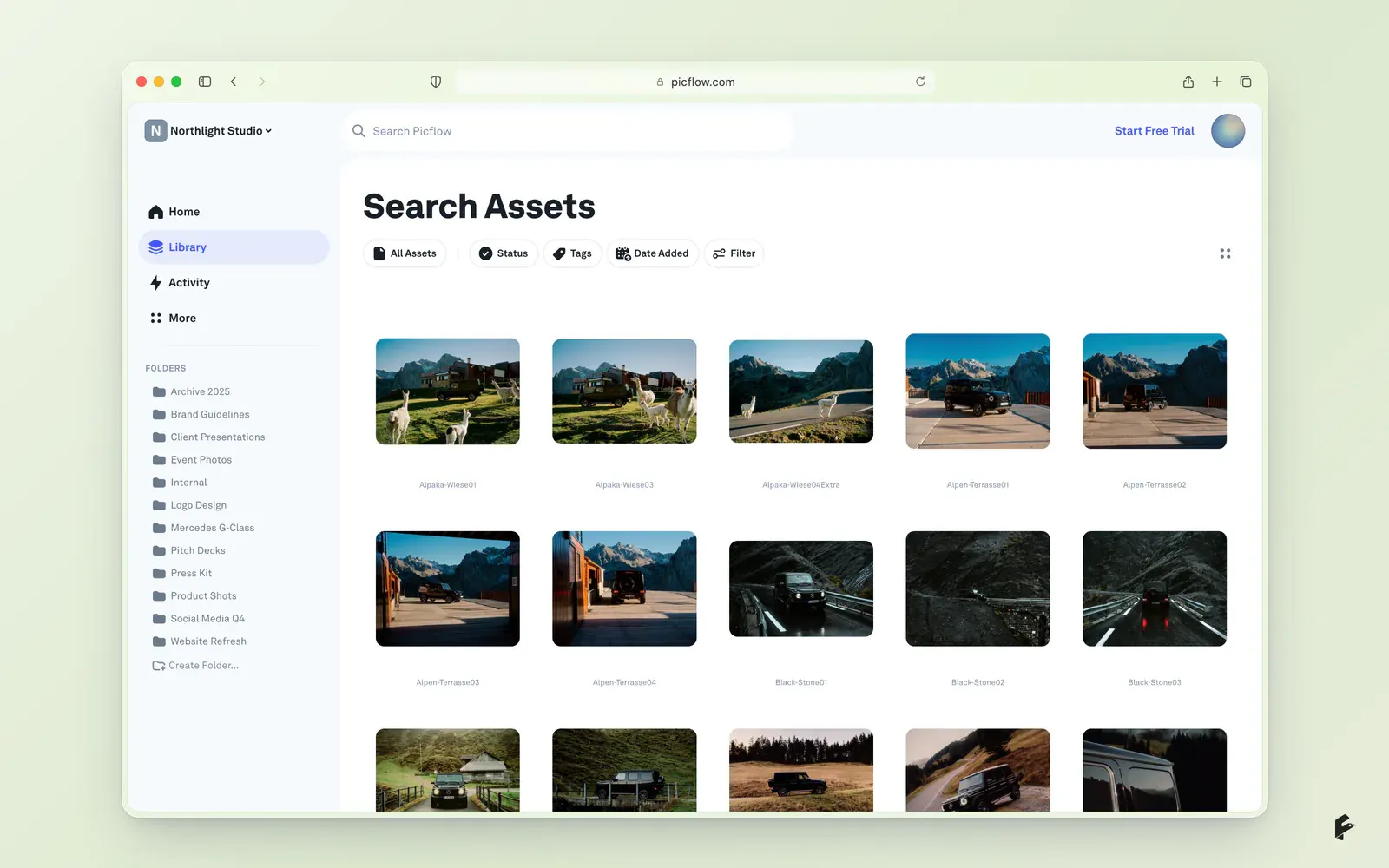
| Picflow | Photographers and video teams focused on client proofing | Free. Plus $15/mo, Pro $24/mo, Biz $179/mo | Free plan blocks RAW, PSD, Office, and 3D uploads; team DAM starts on Biz |
| Canto | Brand portals with digital rights management and expiration controls | Quote only | No self-serve free plan. SSO, API, and CDN depend on package tier |
| Bynder | Enterprise brand operations across markets and 170+ integrations | Quote only | No self-serve free plan. Workflow, templates, and analytics priced as modules |
| Brandfolder | Multi-brand enterprises tracking asset-level usage analytics | Quote only | No self-serve free plan. Independent multi-team controls require Enterprise |
Prices above are US pre-tax figures checked on November 12, 2026. Framebird prices vary by country, so check live Framebird pricing for your local currency.
Hands-on test: five creative files in six DAM libraries
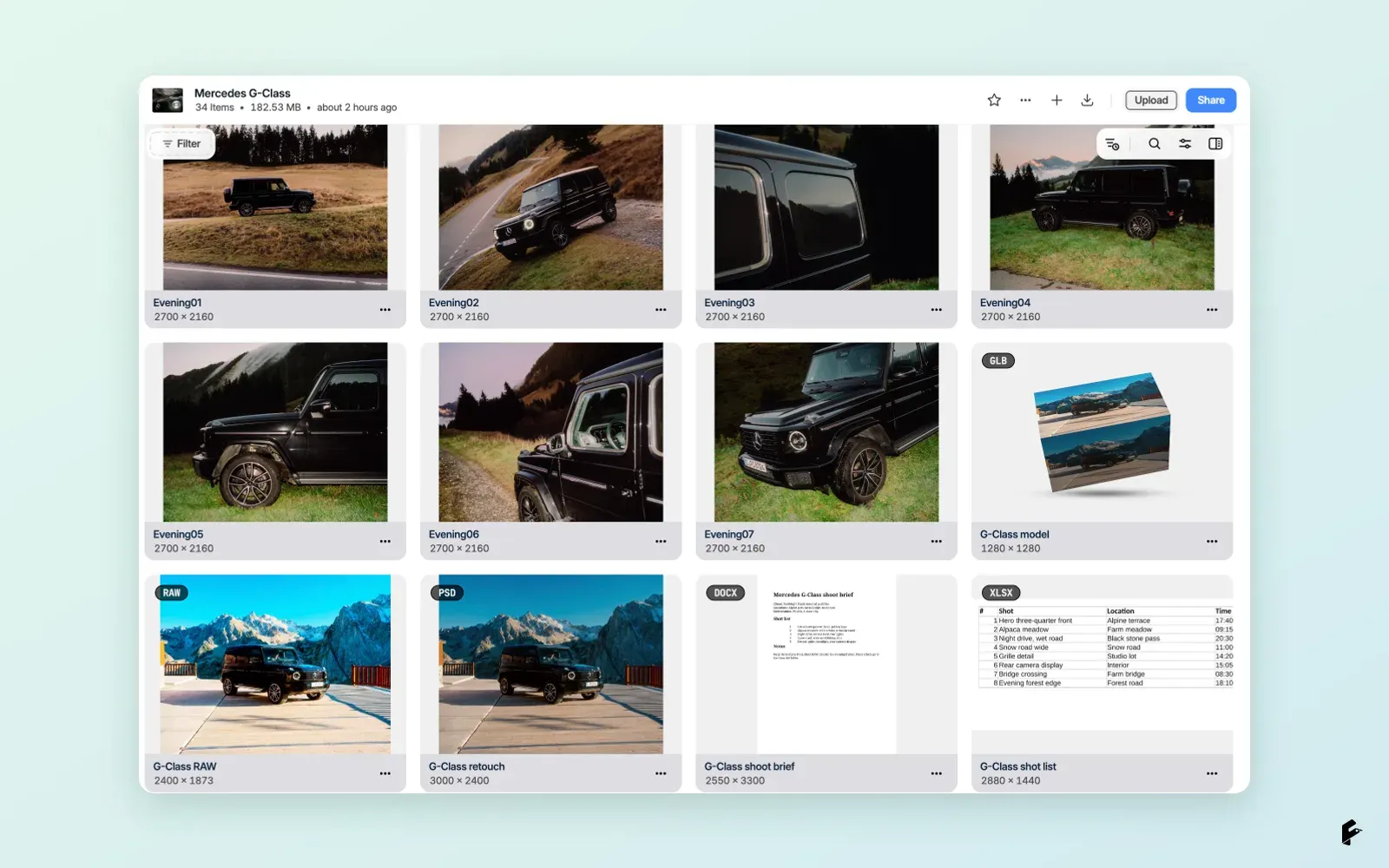
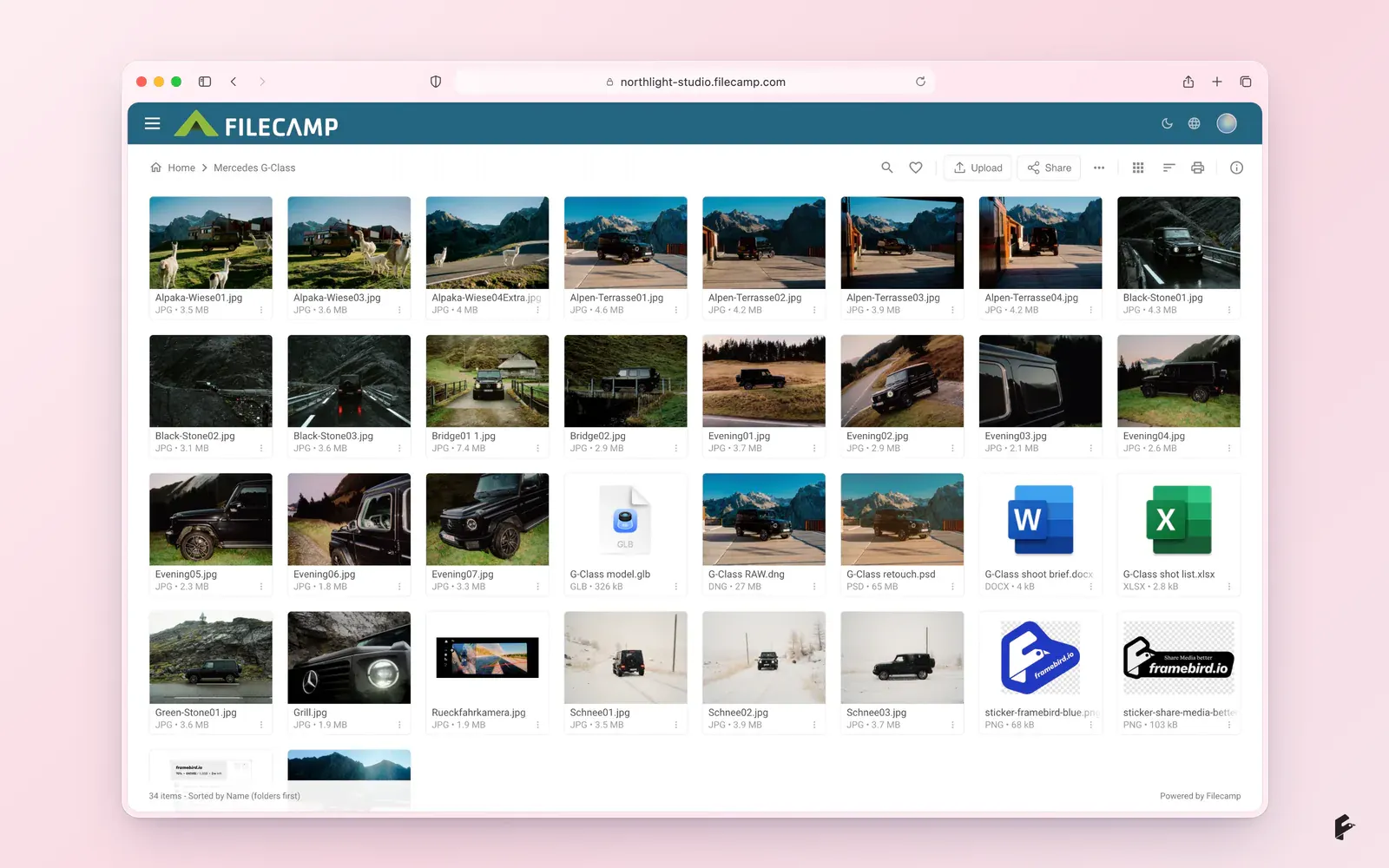
On November 13, 2026, we uploaded the exact same five campaign files into six self-serve DAM accounts: a DNG camera RAW photo, a layered Photoshop PSD, a Word shoot brief (DOCX), an Excel shot list (XLSX), and a textured 3D model (GLB). We counted a pass only when the library grid rendered the actual visual contents of the file. A generic file icon or blank tile did not qualify.
| Tool and plan tested | Files visible in the grid | Preview score |
|---|---|---|
| Framebird (Free) | DNG, PSD, Word, Excel, GLB | 5 / 5 |
| Dash (14-day trial) | DNG, PSD, Word, Excel | 4 / 5 |
| Air (Free) | DNG, PSD, Word | 3 / 5 |
| Pics.io (7-day trial) | DNG, PSD | 2 / 5 |
| Filecamp (30-day trial) | DNG, PSD | 2 / 5 |
| Picflow (Free) | Uploads blocked on Free | 0 / 5 (blocked) |
Pics.io rendered blank tiles for both the Word document and the Excel sheet. Filecamp showed generic file icons for both. Picflow prompted for Pro on the DNG and Plus on the remaining four files, so its grid previews could not be verified on Free. We excluded Stockpress, Canto, Bynder, and Brandfolder from this hands-on check because trial access required a business email verification or a sales call. One sample per format is a practical baseline, not an exhaustive benchmark, so bring real files from your own camera, design suite, or 3D pipeline into any trial.
Ten DAM tools, plan by plan
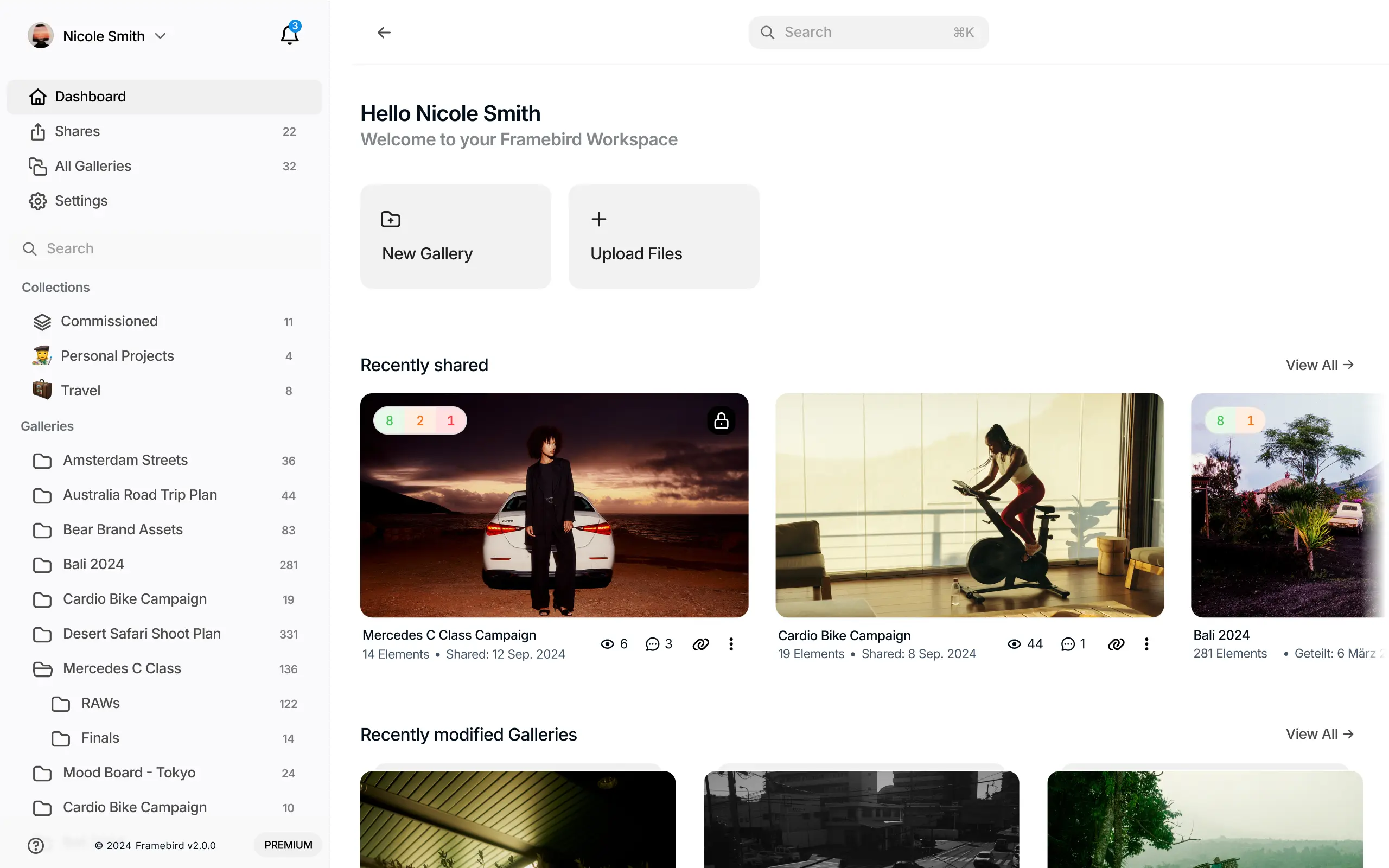
1. Framebird
Best for: Creative teams, studios, agencies, and photographers who want mixed-format asset organization, client review, and branded delivery in one workspace without paying enterprise prices or per-client seat fees.
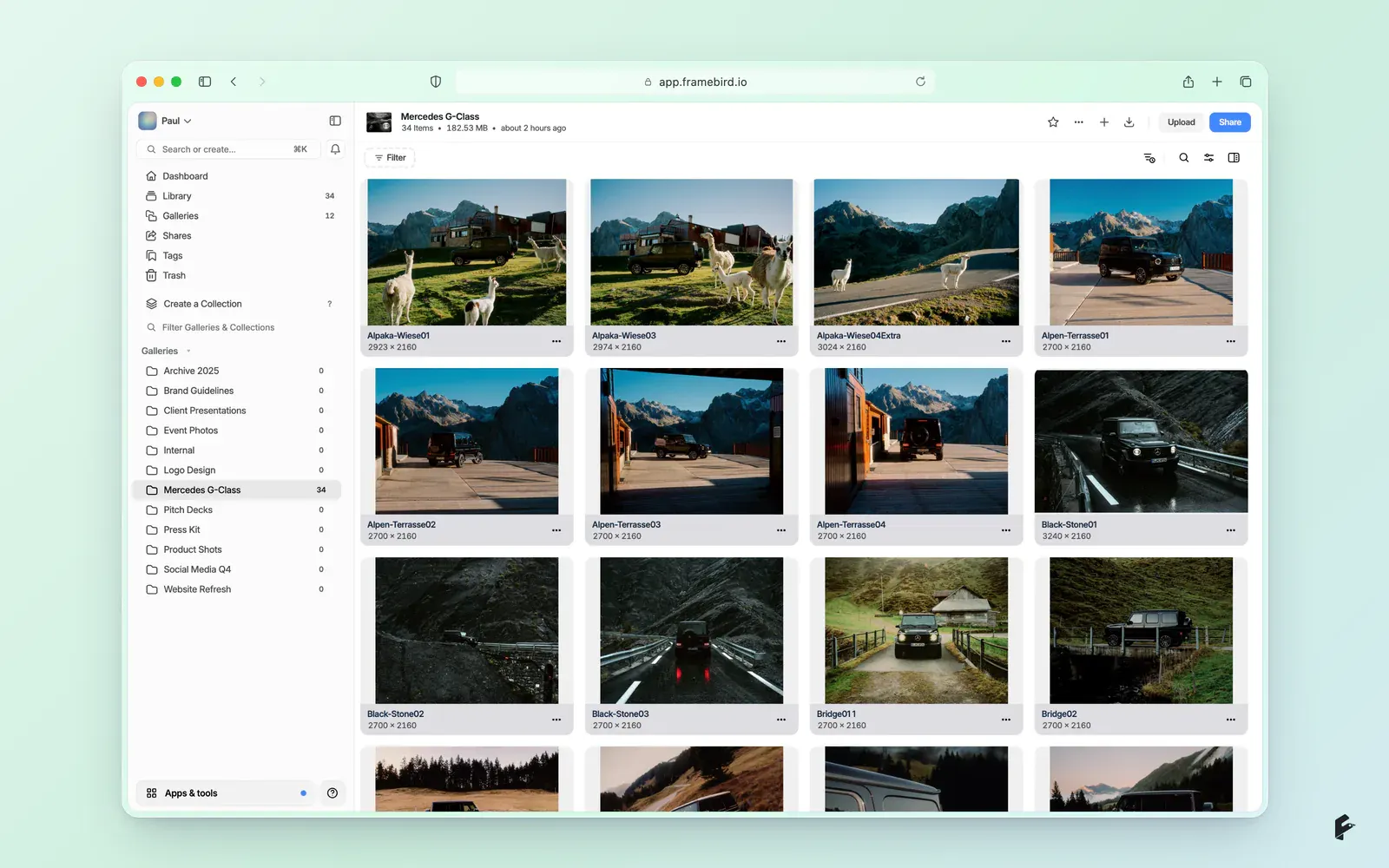
Everything lives inside a shared Team Workspace where invited teammates work on the same Media, Galleries, and Shares. Three roles keep permissions clear: Owners and Admins manage content, members, and workspace branding (shared logos, themes, watermarks, and Share presets), while Members organize and edit content. The Workspaces and team access guide covers invitations and roles in detail.
Media stays structured in Galleries, nested Sub-Galleries, and Collections for larger multi-shoot campaigns. Tags and Categories cut across Galleries, and search covers Media, Galleries, Shares, and Tags with filters and sorting, documented in search, tags, and categories. You can upload any file type and always download the unmodified original. Images, camera RAW files, video, audio, and PDFs render in-browser previews, and in our hands-on test Word, Excel, and textured 3D GLB files did too. See supported file types for format details.
When work is ready for feedback, you send a branded client Gallery Share rather than a generic folder link. Reviewers leave comments, draw annotations directly on images and paused video frames, and set approval statuses such as approved or needs changes. You choose whether everyone collaborates on one shared selection or keeps individual picks, as covered in Share settings and review. You can preview real themed deliveries in the Framebird Showcase and check our guide to sending photos to clients without losing quality.
For daily production speed beyond the browser, the native Framebird Desktop App on Mac adds watched-folder uploads and direct drag-and-drop into Finder and creative apps, while the Save to Framebird browser extension captures visual references straight into a Gallery from Chrome or Firefox.
Pricing and plans: The Free plan is free forever with no credit card required and includes 1 person, 2 GB, 20 Galleries, and 10 Shares. In the US (before tax), Pro costs $15 a month billed monthly with 500 GB (expandable up to 2 TB in 500 GB blocks), 2 people, unlimited Galleries and Shares, annotations, password protection, download tracking, custom branding, and visitor uploads. Premium costs $39 a month with 1 TB (expandable up to 50 TB), 3 people included, Restricted Galleries, team-only comments, expiring Shares, and Share embeds. You can scale Premium up to 100 people at $11 per extra person a month, and each extra person adds 100 GB. Clients who view, comment, approve, or download through a Share never count as paid people. Check Framebird pricing for your country and annual billing options.
What to weigh: Review history in Framebird records who set each status and when, rather than maintaining stacked file version history.
2. Air
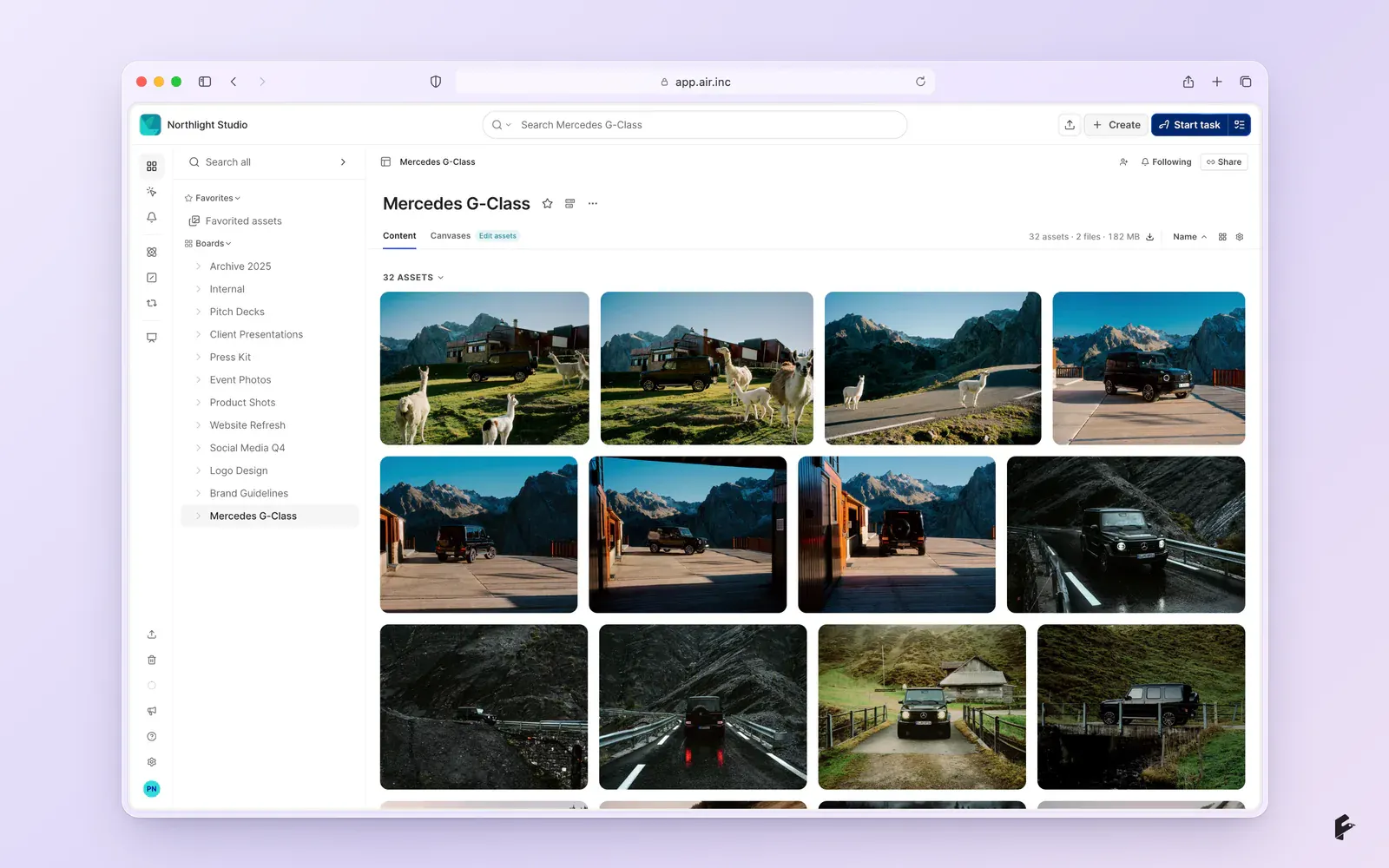
Best for: Creative and social teams that want visual boards, AI search, and lightweight AI asset production in the same product.
Assets live on visual boards, and one file can appear across several boards without creating duplicates. Air Search accepts plain-language queries and analyzes what is inside an asset, including colors, objects, people, and spoken dialogue. Uploading a reference image returns visually similar files from your library. Air Reviewers comment on images and at exact timestamps in video, apply approval states, and compare or restore earlier file versions. Air
Air Canvas adds production tools inside the library: resizing approved assets into channel variants, swapping backgrounds, turning stills into short clips, and trimming video. Air
Pricing and plans: The Free plan includes 3 users, 10 GB, and 100 monthly credits. Starter costs $100 a month billed annually (or $125 month to month) for 5 users, 200 GB, and 500 credits. Adding a sixth user moves you to Business at $900 a month billed annually, with unlimited users, 2 TB, and 2,000 credits. Air
What to weigh: The jump from 5 users ($100 to $125/mo) to 6 users ($900/mo billed annually) is steep for growing studios, and monthly AI production credits do not roll over.
3. Dash
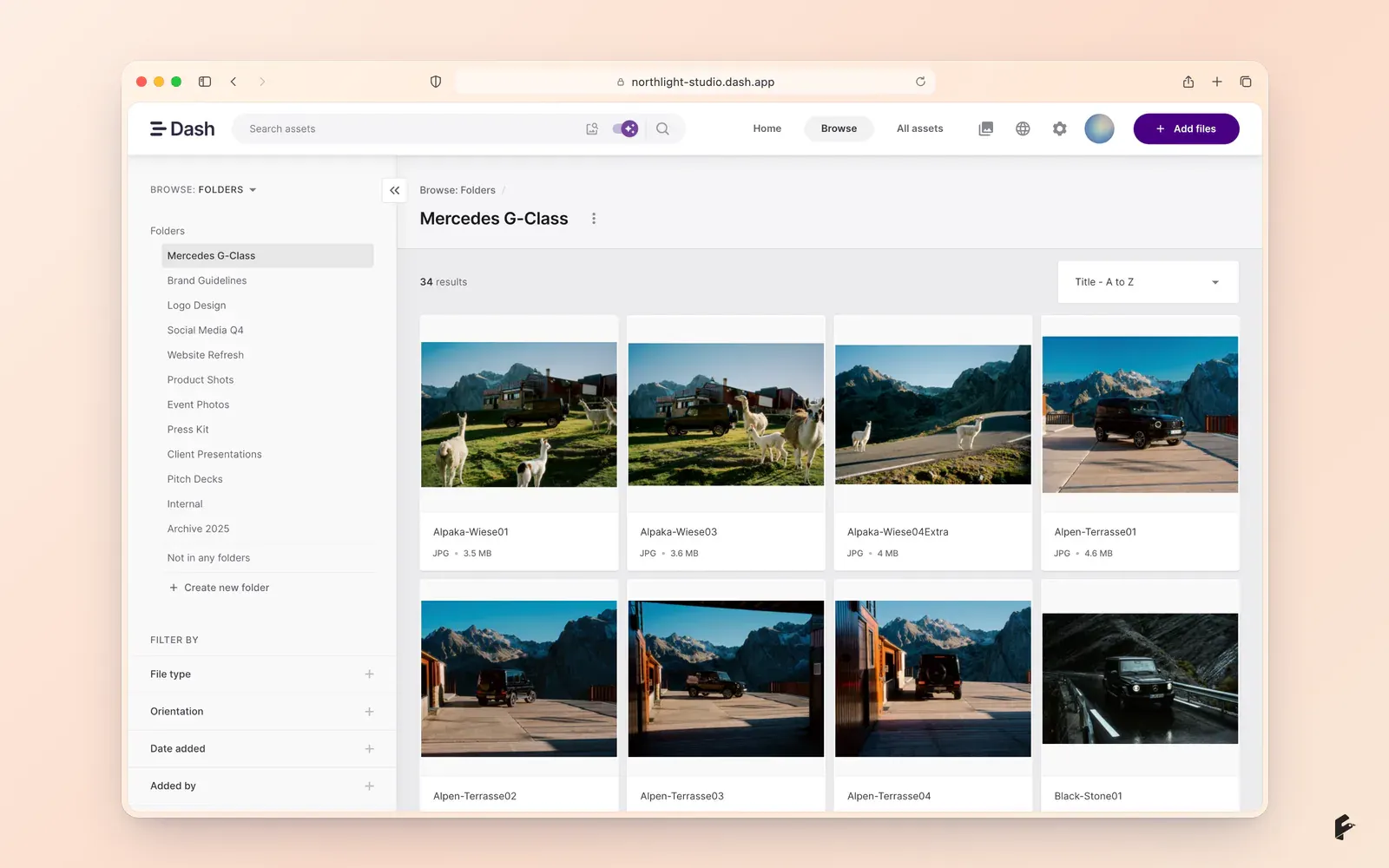
Best for: Ecommerce and marketing teams that organize product photography by SKU and publish straight into sales and social channels.
Search accepts plain-language queries, and Dash automatically tags uploaded photos and videos. Custom fields let you structure assets by campaign, season, SKU, or product name so store teams can pull the right shot immediately. Dash Collections group campaign assets, branded portals share approved work with retailers and agencies without requiring a login, and external contributors can upload files for review before publishing. Dash
Distribution is Dash’s main differentiator. You can crop and resize assets in bulk, save preset dimensions, and push images straight to Shopify, Canva, or Hootsuite, skipping repetitive download and re-upload cycles. Dash
Pricing and plans: Every plan includes all features and unlimited users, with pricing tied to storage and monthly downloads. Start Up costs $109 a month billed monthly with 250 monthly downloads, scaling up to Established Brand at $589 a month with unlimited downloads. Dash offers a 14-day free trial and no permanent free plan. Dash
What to weigh: Individual downloads and assets sent through channel integrations count toward your monthly download allowance, though Dash exempts bulk exports. Estimate your regular monthly download volume before committing to a lower tier.
4. Stockpress
Best for: Teams with frequent collaborators who want unlimited internal users, custom roles, and file versioning at a flat tier price.
Every Stockpress plan, including Free, comes with unlimited users, teams, and roles. Stockpress Files are organized inside open or restricted Collections, with custom roles controlling permissions and optional guardrails that limit who can create new tags so metadata stays clean.
For review, Stockpress supports pinned annotations on any file type (including video), filterable approval statuses, and version stacks when you upload a revised file over an older one. External reviewers can comment and update statuses through share links. Stockpress
Pricing and plans: The Free plan offers 3 GB of storage. Annotations, statuses, versioning, and custom branding start on Essential at $99 a month with 200 GB. Pro costs $175 a month and Premium costs $225 a month (adding single sign-on). Annual billing saves 10%. Stockpress
What to weigh: Although the Free tier includes unlimited users, core review capabilities (annotations, statuses, versioning, and branding) require upgrading to Essential at $99 a month.
5. Pics.io
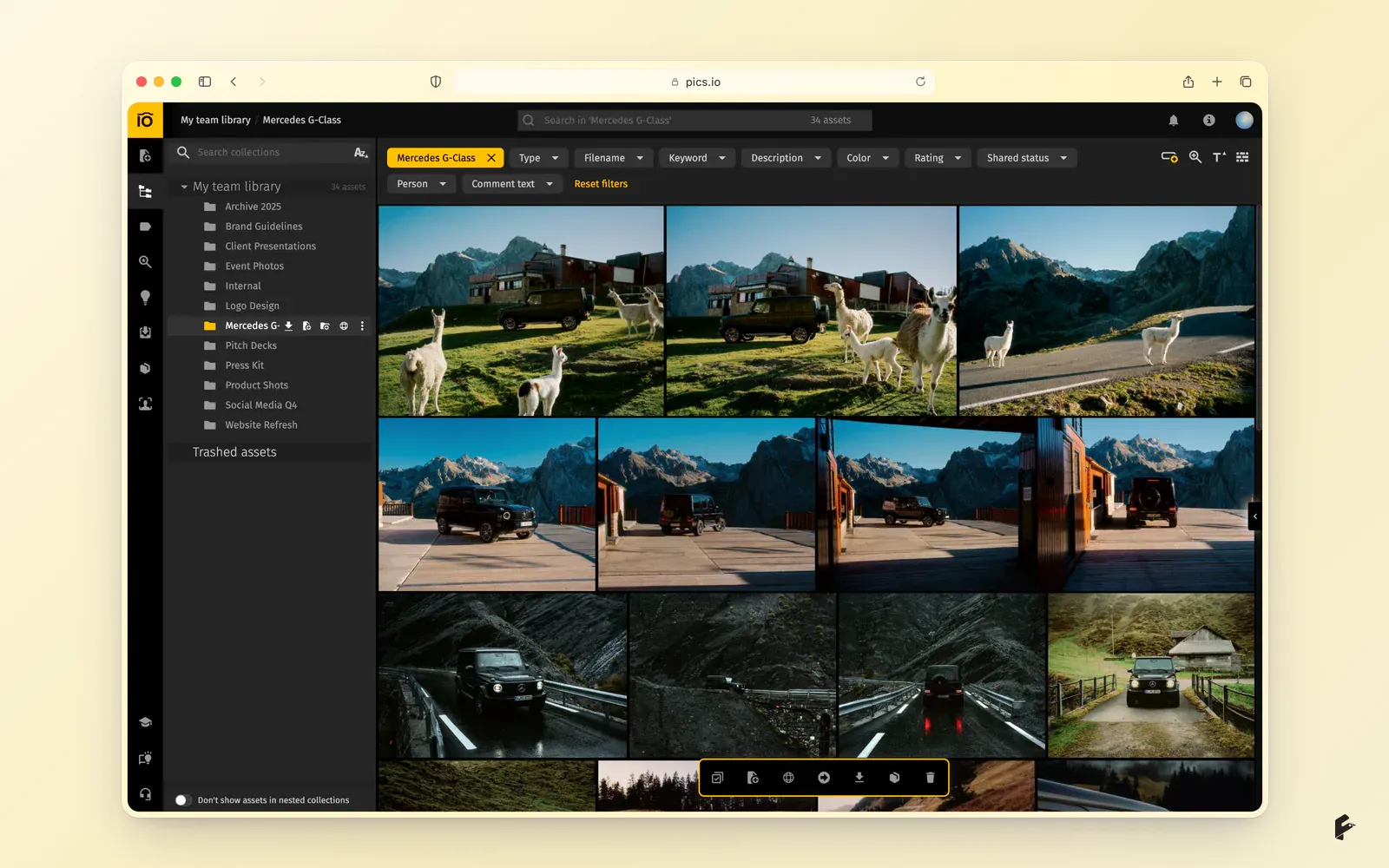
Best for: Teams with an existing Google Drive library that want DAM metadata, search, and branded portals without migrating files.
Pics.io connects to Google Drive through Google’s API so original files remain in place while changes sync in both directions. On top of your Drive folders, Pics.io layers keywords, custom search fields, and branded web portals for clients and partners. Pics.io
Pricing and plans: Solo costs $100 a month and treats version control, commenting, and custom fields as optional add-ons. Micro costs $250 a month (or $225 billed annually), covers 10 users, and bundles those collaboration features plus roles. Small costs $800 a month for 50 users. Pics.io provides a 7-day trial and no free plan. Pics.io
What to weigh: The pricing page is ambiguous about whether Solo supports bringing your own cloud storage, so verify Google Drive integration on your chosen plan before signing up. In our test, Word and Excel files also displayed blank tiles.
6. Filecamp
Best for: Budget-conscious teams that need unlimited users in a straightforward brand portal and only need proofing on a single predictable tier.
Filecamp separates its plans by storage and workflow features while keeping users unlimited. Basic ($29/mo, 20 GB) covers core storage and sharing. Advanced ($59/mo, 50 GB) adds collections, auto-tagging, and multiple portal themes. Professional ($89/mo, 100 GB) is the tier that unlocks commenting, proofing, and approval workflows. Extra storage starts at $10 a month per 10 GB. Filecamp
Every new account starts with a 30-day trial of Professional, making it easy to verify whether the proofing workflow fits your clients before choosing a tier.
What to weigh: If client comments and approvals are essential, $89 a month is your real entry price rather than $29, and growing past 100 GB requires paid storage bundles (for example, $45 a month for an extra 100 GB or $300 a month for an extra 1 TB).
7. Picflow
Best for: Photographers and video creators whose main priority is frame-accurate video review and image proofing with external clients.
Picflow organizes client work into galleries with comments, image annotations, and frame-accurate video notes. Version control starts on Plus, Pro adds side-by-side comparison views, and external reviewers never need a paid seat on any tier. If you are weighing Picflow directly against Framebird, see our dedicated Framebird vs Picflow comparison.
Pricing and plans: Individual plans include Free (2 GB, 1 seat), Plus at $15 a month (1 seat, 100 GB; $12 billed annually), and Pro at $24 a month (2 included seats, 1 TB; $18 billed annually, with extra Pro seats available at $15 a month each). Biz is positioned as a business DAM at $179 a month ($149 billed annually) with 10 seats and 5 TB. Picflow
What to weigh: The Free plan blocked RAW, PSD, Word, Excel, and GLB uploads during our test. Scaling Pro past 2 included seats adds $15 a month per extra seat, while full team DAM features live on Biz at $179 a month.
8. Canto
Best for: Mid-size and enterprise marketing teams distributing brand assets broadly with strict digital rights and expiration controls.
Canto’s entry tier, DAM Essentials, includes unlimited portals and style guides, digital rights management with automatic expiration controls, granular permissions, and AI visual search. Higher packages add capabilities progressively: single sign-on and API access begin on DAM Plus, the Media Publisher CDN lives in DAM Pro, Shopify and Amazon connectors sit in the Retail Suite, and the Brand Suite adds creative integrations and an Approval Hub.
Pricing and plans: Quote only. Canto publishes illustrative packages whose pricing scales by user count, storage, and selected suites. Canto
What to weigh: You cannot test pricing or features self-serve without talking to sales, and key enterprise features (SSO, API, CDN, approval hub) sit in separate packages.
9. Bynder
Best for: Large organizations running connected multi-market brand operations that need deep integrations and modular workflow automation.
Bynder’s core DAM offers natural-language and visual search, role-based governance across brands and regions, built-in rights management, and more than 170 documented integrations. Bynder
Around that library, Bynder sells dedicated add-on modules: Asset Workflow (briefing, proofing, approvals), Content Workflow (structured copy and content), Studio, Print Brand Templates, and Analytics.
Pricing and plans: Custom enterprise quotes based on modules, seats, storage, integration usage, and support tier. Bynder
What to weigh: Modular pricing and enterprise onboarding make Bynder overkill for lean creative studios that simply need fast organization, proofing, and client delivery.
10. Brandfolder
Best for: Multi-brand enterprises and business units that want granular asset-level analytics and centralized admin governance.
Brandfolder, part of Smartsheet, lets admins control permissions across multiple Brandfolders and Collections from one hub, separating public press assets from restricted internal files. Asset-level analytics track exactly which files are viewed, downloaded, and reused across campaigns. Brandfolder
Two quote-based tiers are listed: Premium (analytics, in-document text search, bulk management, SSO, publish and expiration dates) and Enterprise (more granular asset permissions and multi-brand or multi-customer isolation). Brandfolder
What to weigh: Both plans require custom enterprise quotes, and full multi-brand isolation is reserved for Enterprise.
Run a trial with one real client job

Vendor feature tables only tell half the story. Before committing your team, run one real project through your top two contenders using this three-step test:
- Find the right file. Upload one camera RAW original, two nearly identical retouched edits, and a campaign brief. The next day, ask a teammate who was not on the shoot to find the approved edit using only the client name.
- Test the client handoff. Invite someone outside your team to comment on one detail and download the approved file. Inspect the downloaded file’s pixel dimensions, then verify whether that reviewer can accidentally see rejected edits.
- Verify your exit path. Export the original files and metadata. Check which tags, statuses, and approval decisions stay intact outside the DAM.
Price the people actually doing the work
Many DAM platforms look affordable until you calculate real team and client numbers. Suppose 4 internal staff manage your library and 12 external clients review and download assets each month. At US monthly pre-tax prices checked on November 12, 2026:
| Platform and plan needed for review | Monthly cost (4 staff + 12 clients) | Storage included |
|---|---|---|
| Framebird Premium (3 included + 1 extra person) | $50 / month ($0 for clients) | 1.1 TB (expandable to 50 TB) |
| Filecamp Professional (unlimited users) | $89 / month | 100 GB (add-ons from $10/mo for 10 GB; +100 GB is $45/mo) |
| Stockpress Essential (unlimited users) | $99 / month | 200 GB |
| Dash Start Up (unlimited users) | $109 / month | 10 GB (250 downloads / mo) |
| Air Starter (up to 5 users) | $125 / month ($100 / month billed annually) | 200 GB (jumps to $900/mo billed annually at 6 users) |
Always factor in storage growth, annual discounts, and country-specific pricing before treating any row as a final quote. If you are a photographer comparing gallery-first tools alongside DAM software, you can also compare client gallery platforms.
Start organizing and delivering in Framebird
You do not need a sales call or a credit card to run the three-step trial above. Create a free Framebird account with 2 GB of storage, upload a real shoot with your RAW, PSD, PDF, Office, or 3D files into a Gallery, and send a Share to a teammate or client. When your team is ready for shared Workspaces, custom branding, and expandable storage, explore Framebird Pro and Premium plans or browse live client deliveries in the Showcase.